For Enterprise & Security
Looking for secure MCP controls to connect AI and your work apps? Check out Turbo MCP, our self-hosted enterprise tool management solution: https://dylibso.ai/#products
Open WebUI Integration
Connect your mcp.run servlets to Open WebUI.
Setup
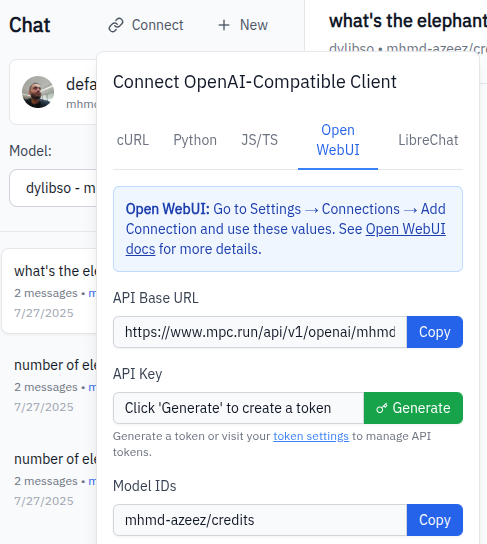
1. Get Connection Details
- Go to
/chat/{scope}/{profile} - Click Connect → Open WebUI tab
- Note the API Base URL
2. Configure Open WebUI
- Open WebUI → Settings → Connections → Manage Direct Connections → Add (Open WebUI docs)
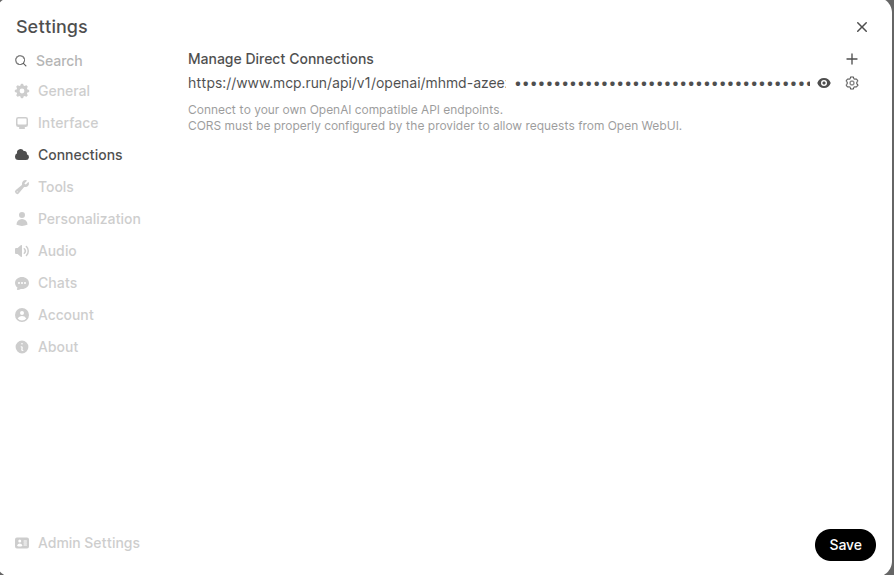 2. Enter:
- URL:
https://mcp.run/api/v1/openai/{scope}/{profile} - Key: Generate from Connect modal or use existing
- Model IDs: Leave empty to fetch all models
3. Generate Token
In Connect modal:
- Click Generate next to API Key
- Copy token immediately
- Paste in Open WebUI
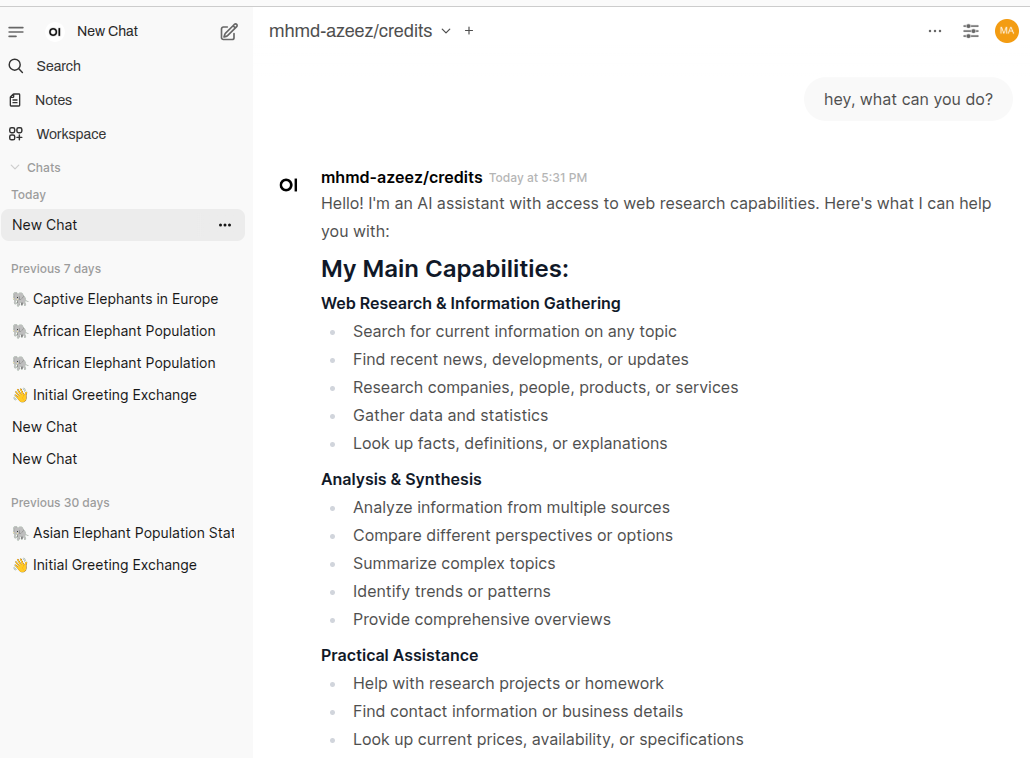
4. Save and Test
- Click Save
- Select mcp.run from model dropdown
- Send test message
Usage
Your servlets are automatically available as tools. The AI will invoke them when appropriate.
Troubleshooting
- Connection failed: Verify URL format (no trailing slash)
- No models: Leave Model IDs empty
- No tools: Check profile has servlets enabled
- Auth errors: Regenerate token with proper permissions